
In this release
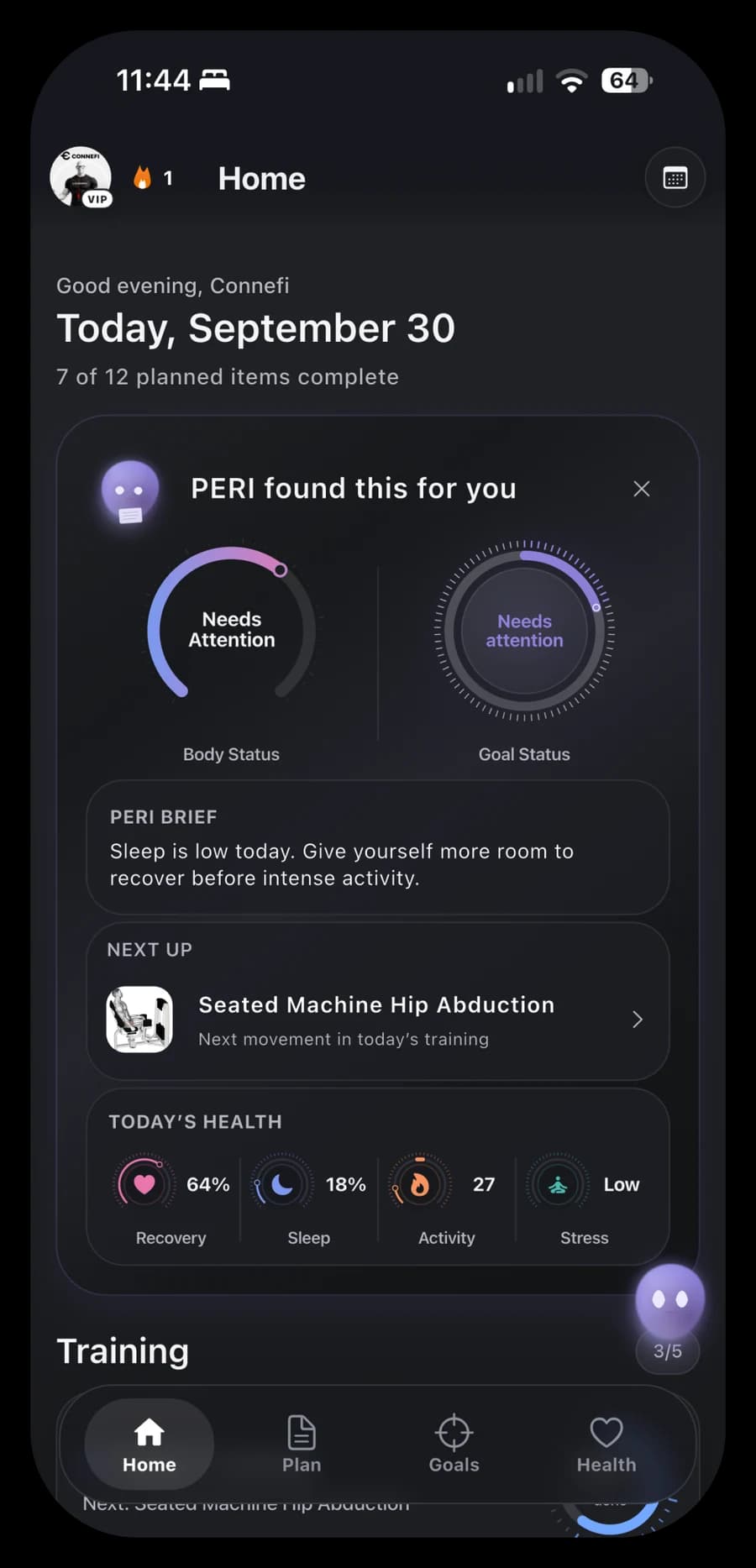
- A redesigned Home: PERI findings, your next activity and today’s training, nutrition and supplements.
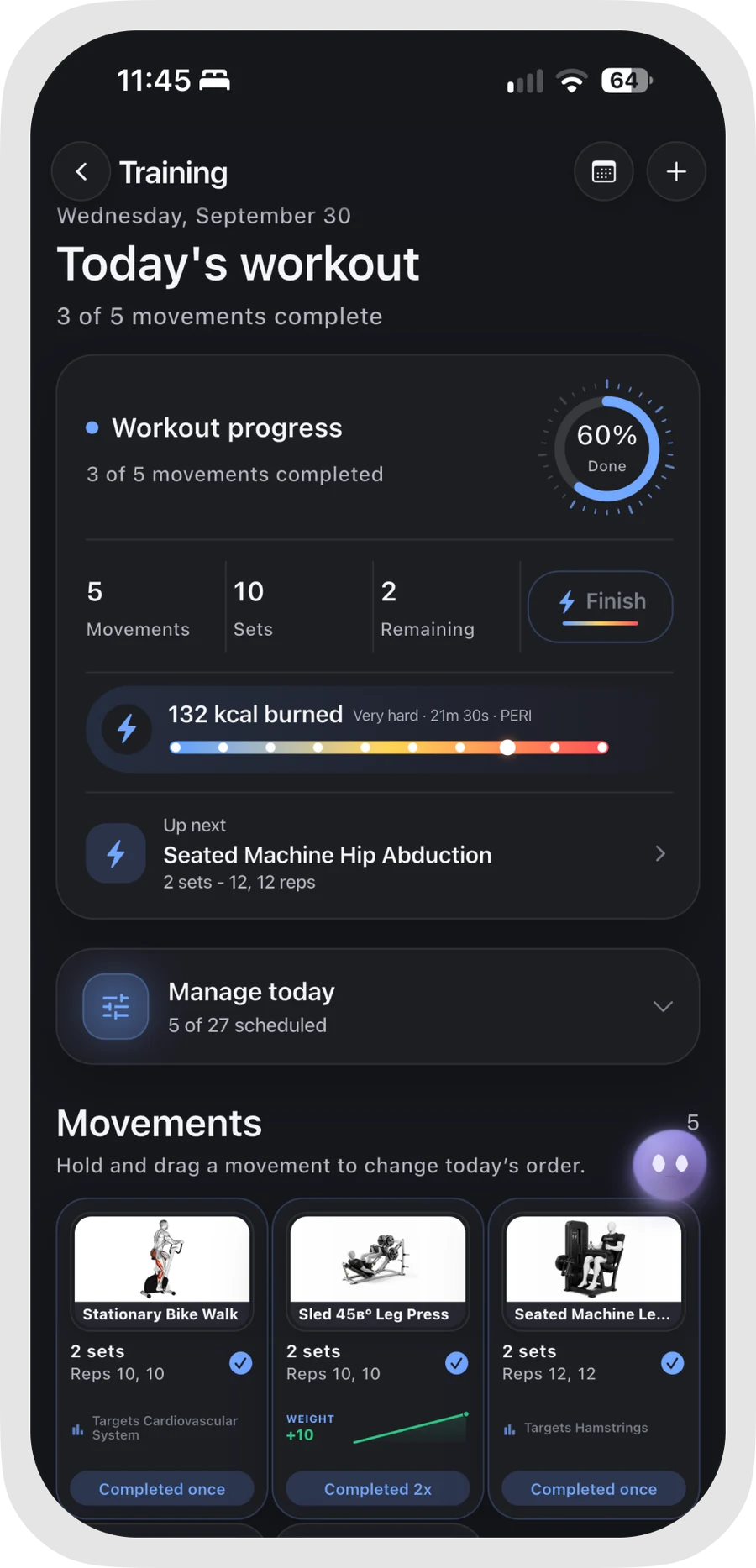
- Workout completion: Finish your session with a summary of completed movements, duration, effort and optional calories.
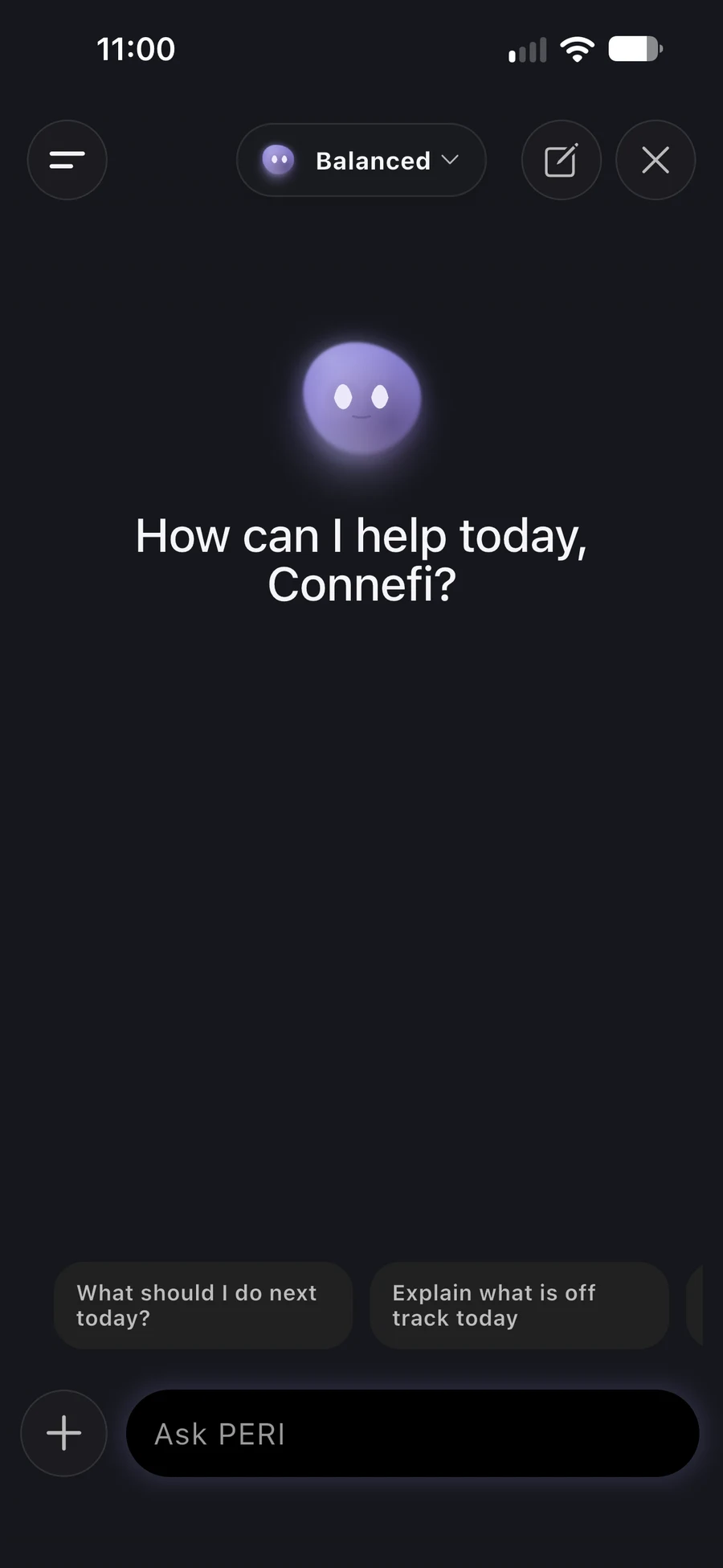
- Redesigned PERI chat: Ask for help and review supported workout and meal adjustments before applying them.
- Goal Intelligence: Follow recorded progress, explore contributing factors and consider your next step.
- Health Intelligence and Primary Sleep: Explore available health signals and a closer view of your main sleep.
- Biological Age: View a wellness age estimate and the factors contributing to it.
- Plan, Schedule and History: Organize your routine and revisit completed activity.
A clearer starting point
The redesigned Home brings your daily routine into one place.
“PERI found this for you” surfaces relevant findings from available information. Body Status and Goal Status sit alongside your daily cards, while Next Up helps you find the next planned activity.
Your training, meals and supplements remain close at hand, so you can move from an overview to the part of your routine you want to work on.
What appears depends on your plan, recorded progress and available health data. Some insights need more history before they can offer a useful picture.
Finish your workout with a summary
Logging a movement and finishing a workout have distinct roles in Connefi V2.
Record your sets, repetitions and weights as you train. When you’re ready to finish, review the completed movements and save a workout summary with duration, effort and optional calories.
You can adjust the duration before saving. It is a reviewed session value, rather than a live stopwatch measurement. Premium members can also request a calorie estimate, which remains an estimate rather than a measured result.
The finished summary gives you a clearer record to revisit in your routine and history.
PERI, closer to your routine
The redesigned PERI chat gives you a place to ask questions and work through changes to your plan.
Need a shorter workout? Want help adjusting a meal? PERI can use the relevant profile, preferences, plan and activity information available to the conversation to propose supported changes. Review the adjustment preview before applying those changes.
PERI can also help explain available goal and health information. Its answers depend on the context supplied to that conversation; connecting or recording information does not mean every detail is available in every response.
Ongoing PERI assistance requires an eligible paid entitlement or trial. Balanced mode does not consume weekly credits while you have access; High and Ultra use a shared weekly allowance. Free users can receive their first generated plan during onboarding. Check available access and limits in the app.
Meals, hydration and supplements together
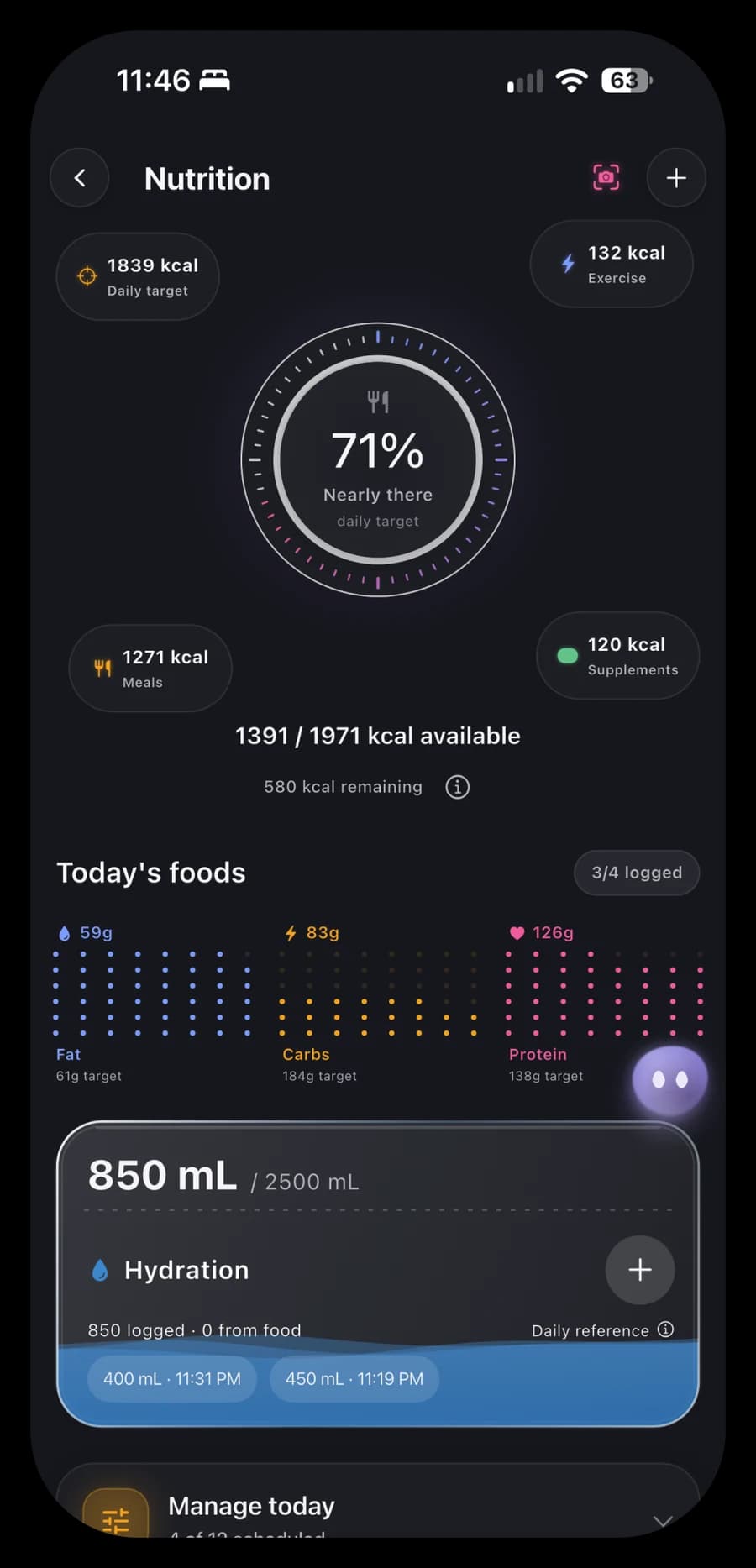
Nutrition remains part of your daily fitness routine.
Plan and record meals, follow calories and macros, and keep hydration in view. Premium members can use a meal photo or written description to receive an estimate to review, or ask PERI for help generating meals.
Water logging helps you follow your recorded intake. Supplements can sit alongside your meals and training, with planned doses, timing and consumption records.
These tools support everyday tracking. Food and calorie estimates can be inaccurate, so review them before saving.
Goals with more context
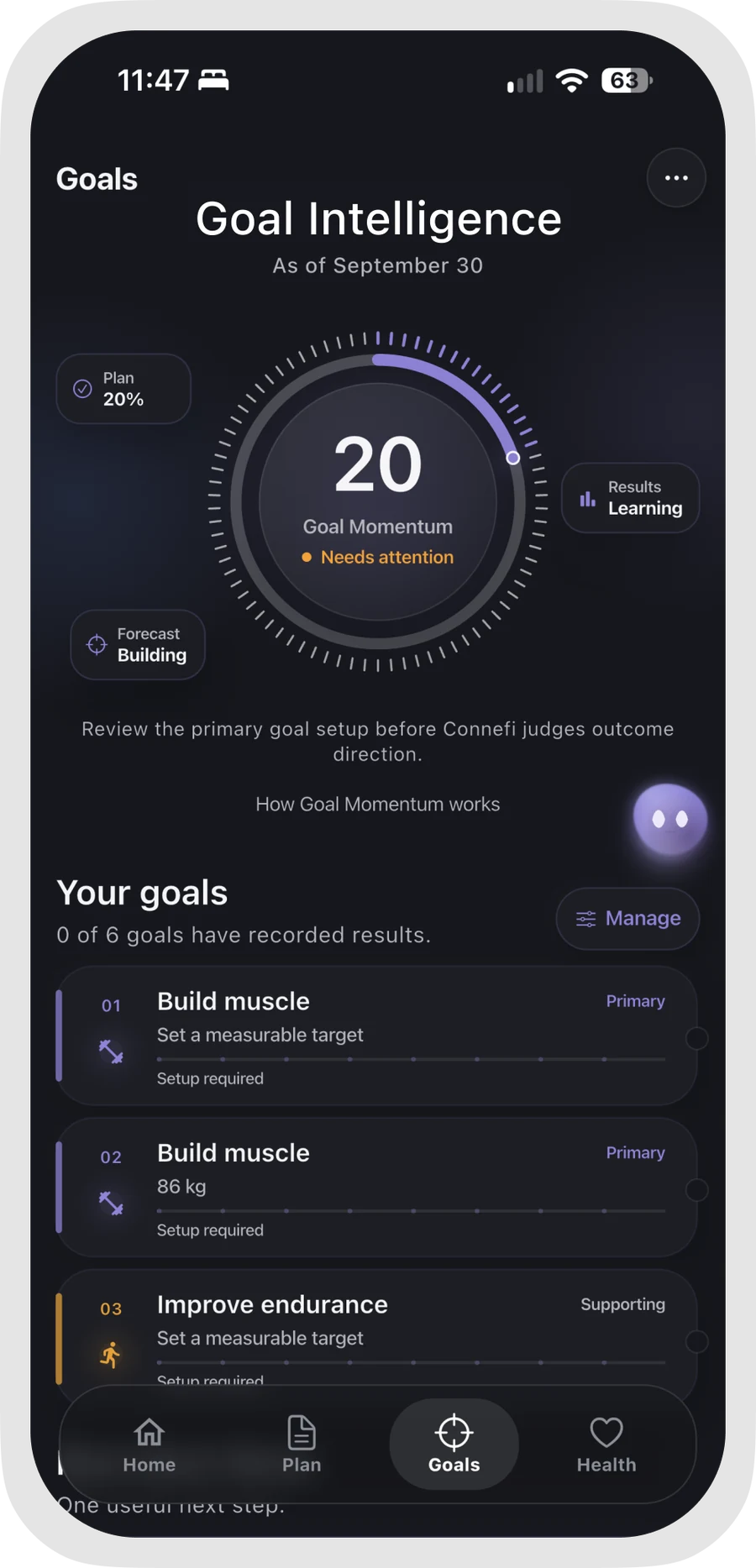
Goal Intelligence gives your recorded results a clearer place in your routine.
Follow more than one goal, add results and review progress over time. Premium views bring together momentum, contributing factors and a suggested next step, helping you explore how your recent routine relates to a particular goal.
You do not need to fill every chart immediately. Forecasts and deeper interpretations depend on sufficient relevant data, and they are estimates rather than promises of a result.
Explore your health signals
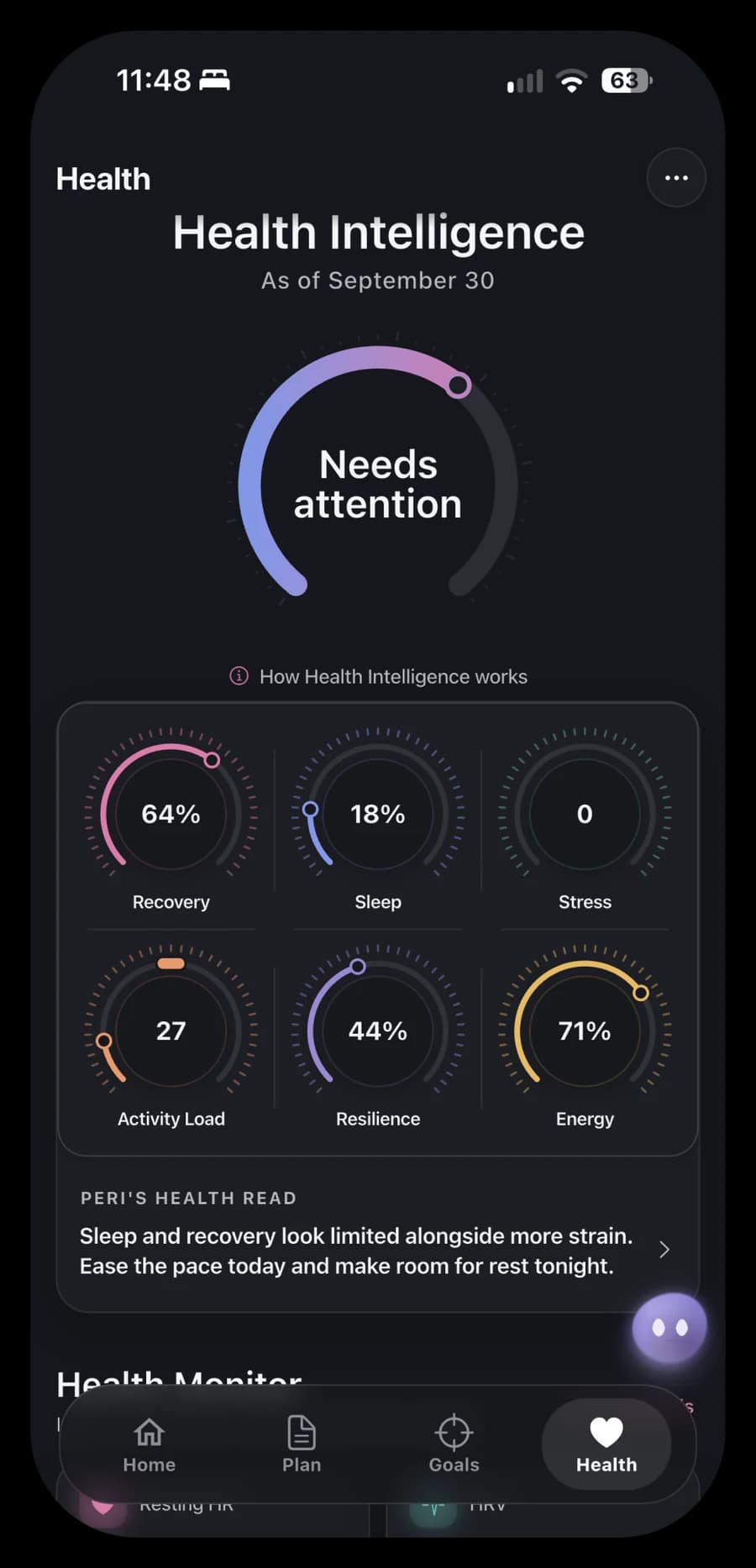
Health Intelligence brings available Recovery, Sleep, Stress, Activity Load and Resilience information into a connected view.
Explore individual signals and their history, then use the information alongside your training and goals. Premium adds deeper interpretation through PERI Health Read and health assistance.
Supported information can come through Apple Health on iOS or Health Connect on Android. Availability differs by platform, connected device, permissions and recorded history. Some views need several days of usable data before a score can be calculated.
A closer look at Primary Sleep
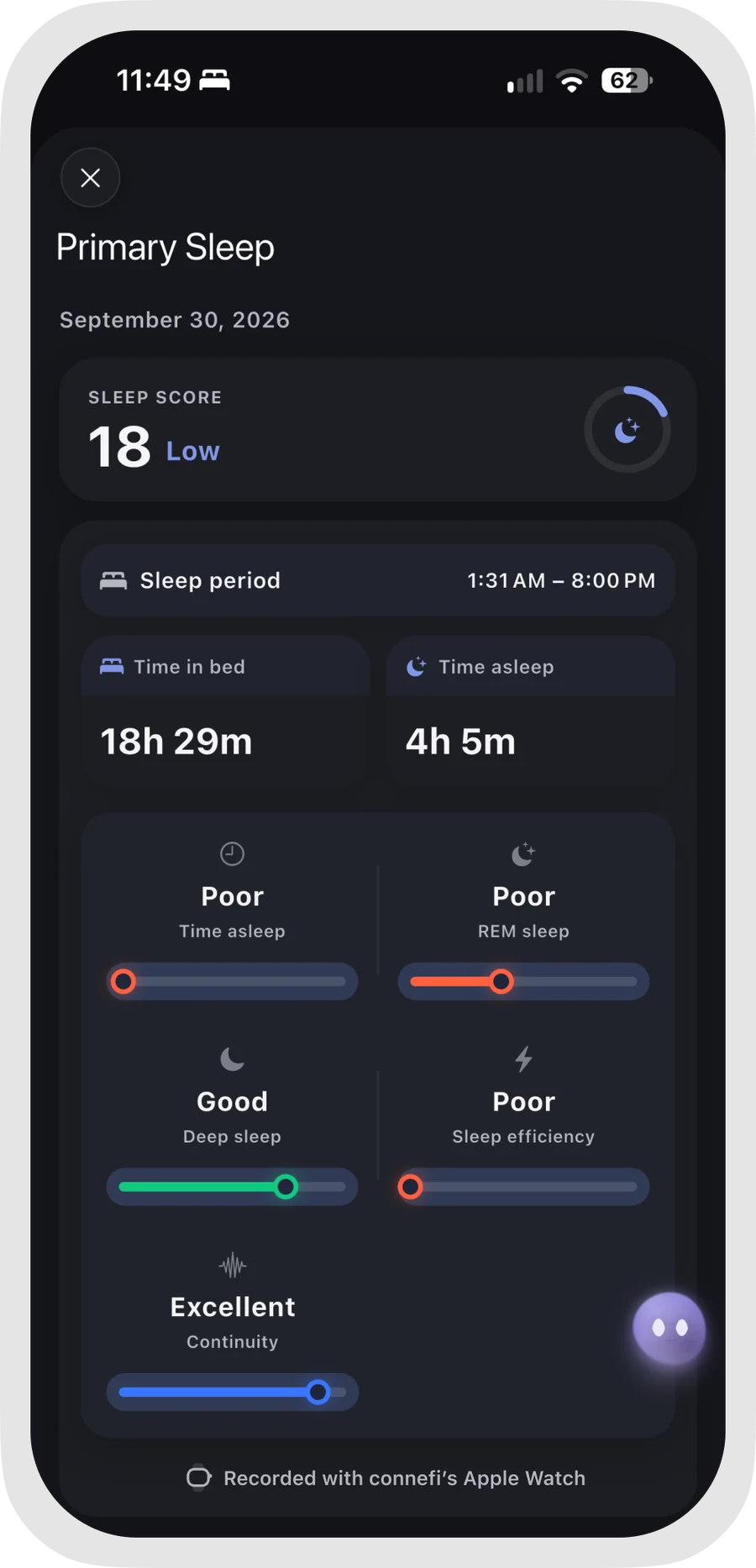
Primary Sleep focuses on your main sleep period.
Explore time asleep separately from time in bed, along with recorded stages and interruptions. Where the connected source provides them, you can also view nighttime heart rate, heart rate variability, respiratory rate and oxygen saturation.
Connefi displays supported recorded information; it does not measure every nighttime signal itself. A compatible recording device or app, the relevant permissions and sufficient data are required. Details that were not recorded remain unavailable.
Biological Age, with its factors shown
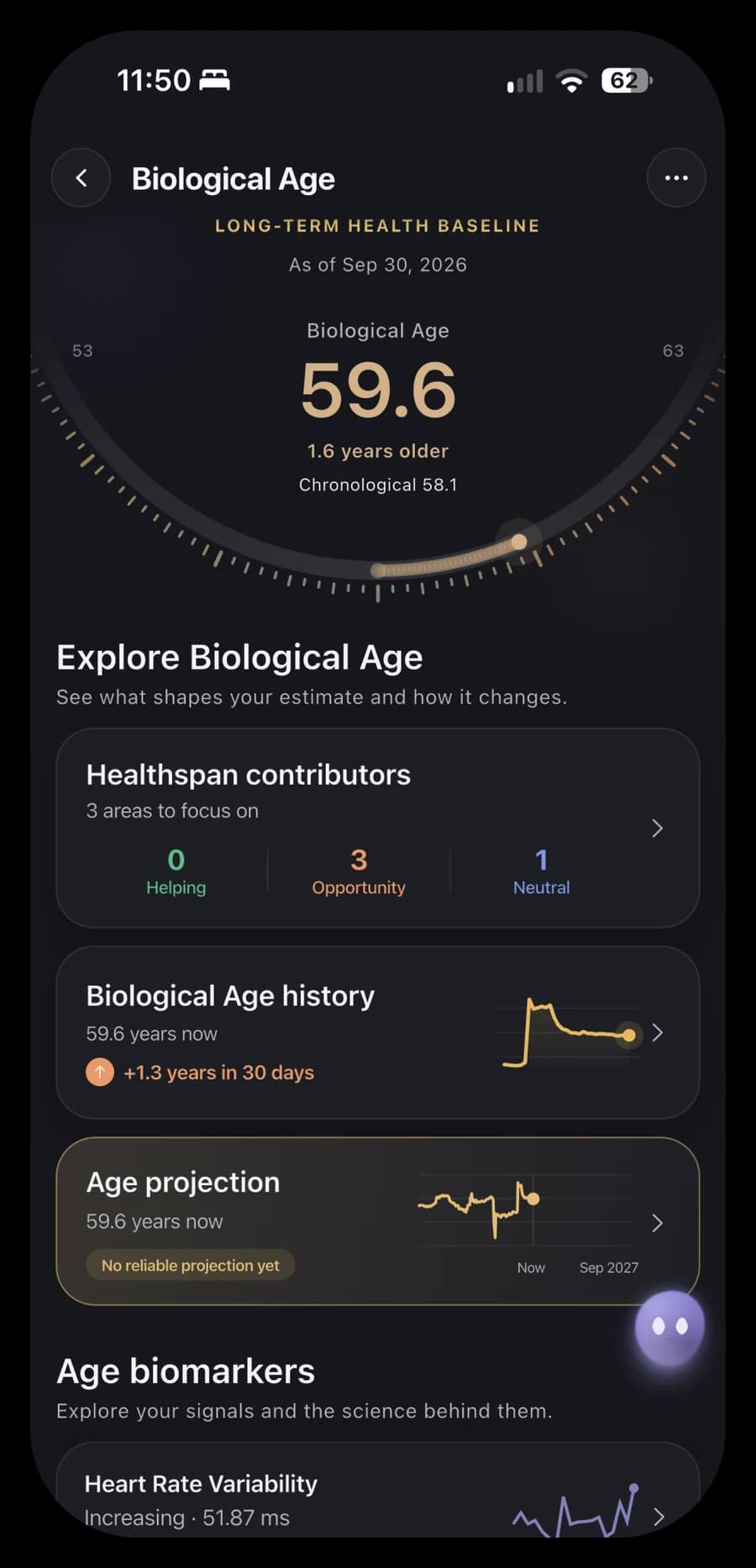
Biological Age offers another way to explore available wellness information.
Eligible adults with Premium can view a modeled age estimate and inspect the factors contributing to it, such as supported fitness, activity, sleep and body measurements. The view also identifies gaps in the information behind the estimate.
This wearable and lifestyle estimate is a wellness model. It is not a laboratory PhenoAge result, a DNA test, a diagnosis or a measurement of how many years you will live. Changes in the estimate do not demonstrate rejuvenation or guarantee a health outcome.
Plan your days. Revisit your progress.
The former Grouping view is now Plan, with a redesigned presentation for the training, nutrition and supplements that make up your routine.
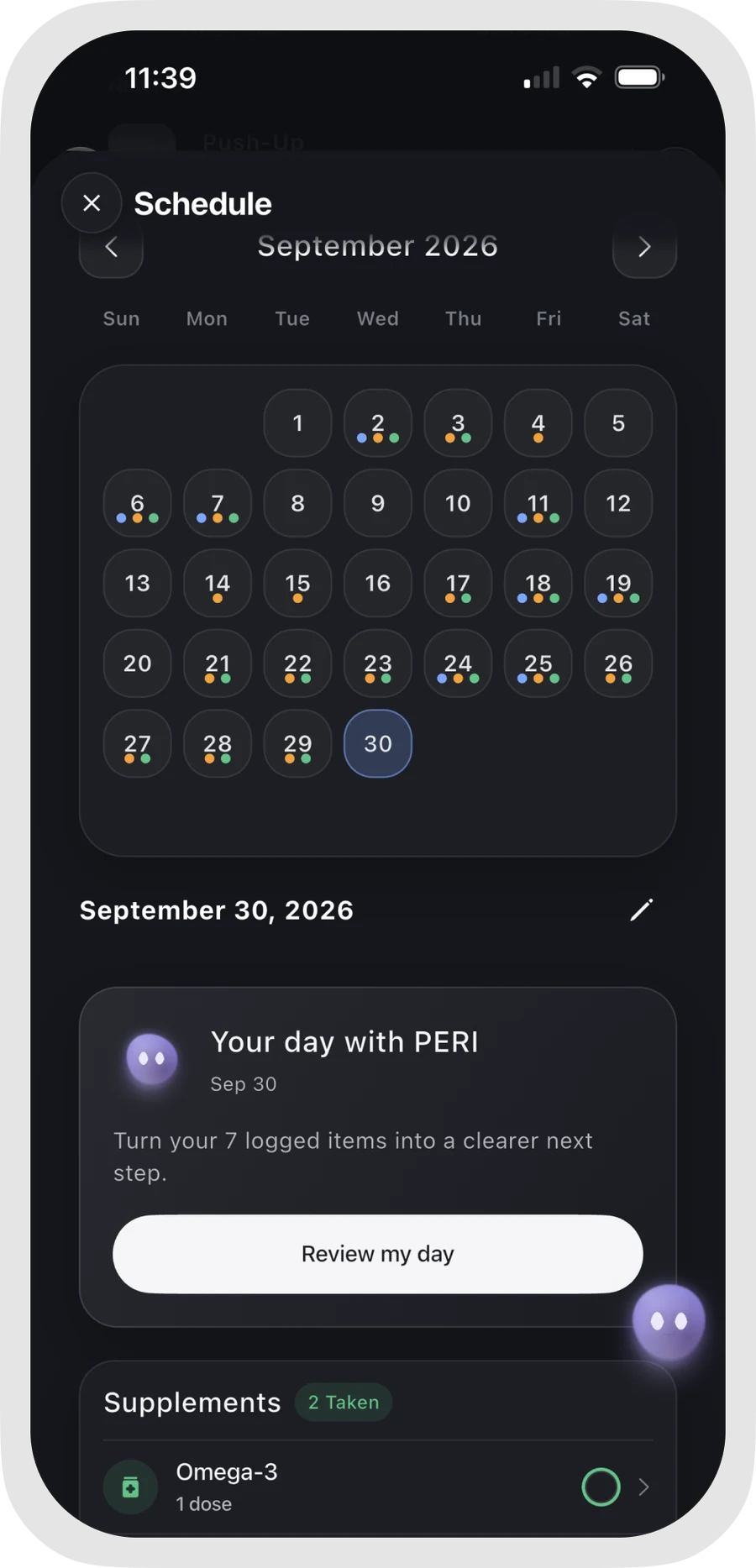
Use Schedule to review planned activities and daily completion. Switch to History to revisit recorded activity and see how your days have unfolded.
Together, these views connect what you intend to do with what you have recorded, without losing the detail of an individual workout, meal or supplement dose.
Access and availability
Core manual tracking, goal management and basic connected-health views are available without ongoing PERI access.
Premium adds ongoing PERI assistance, supported AI meal tools, advanced goal and health interpretation, and Biological Age. Health features depend on your platform, permissions, connected sources and available history.
Connefi provides fitness and general wellness information, not medical advice. Review AI suggestions and estimates before acting on them.
Get Connefi for iOS or Android. Device compatibility and eligible offers vary by platform and region.